
Plan Your Wedding Budget, Guests and Vendors in One Spreadsheet
Wedding costs end up across receipts, quotes and inboxes. The Wedding Planning Spreadsheet puts your budget, guests, vendors and timeline in one file.
- 18 planning sections
- Automated budget tracker
- Up to 1,000 guests
- Excel and Google Sheets
Instant download • Excel & Google Sheets • One-time payment
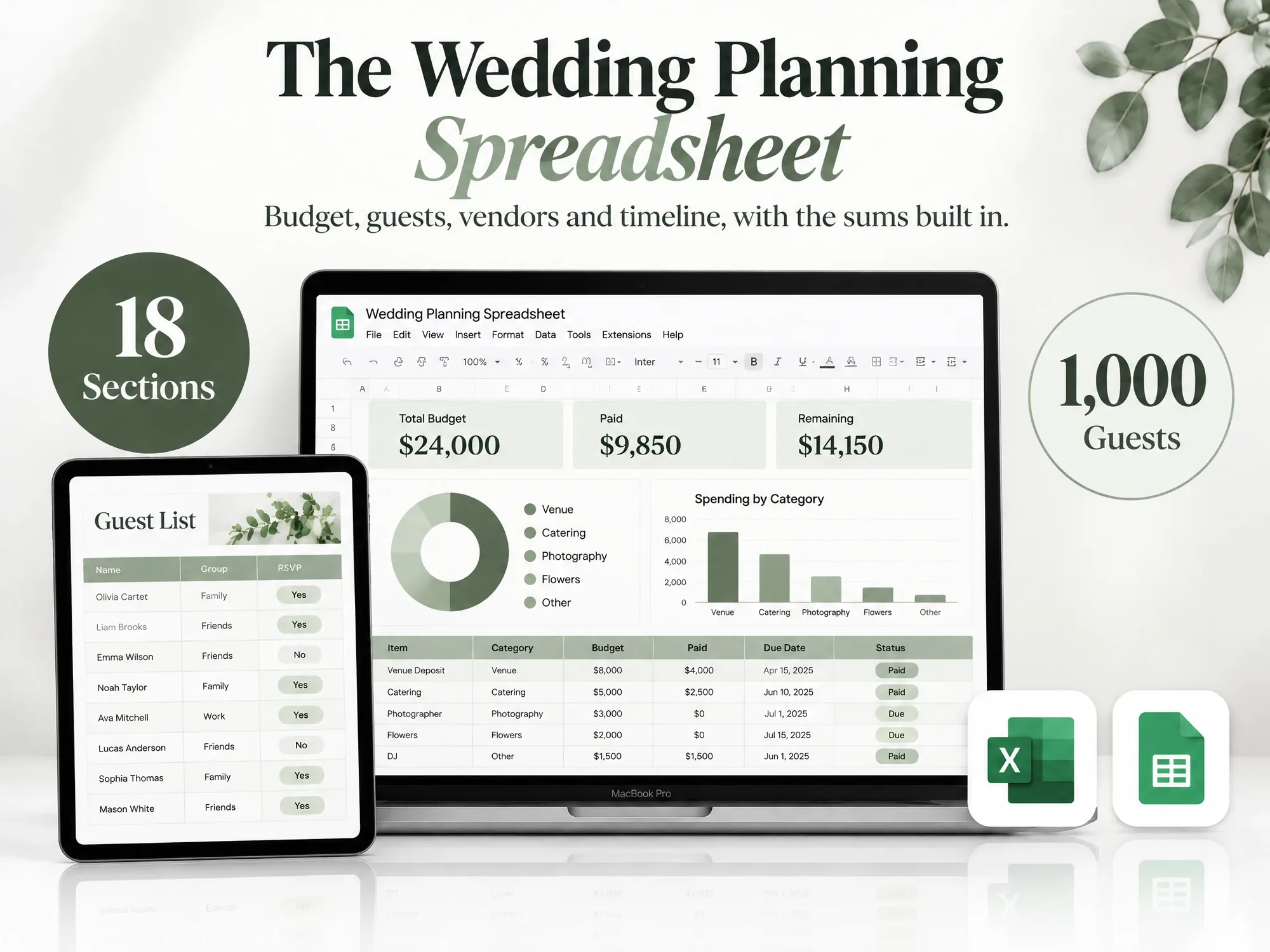
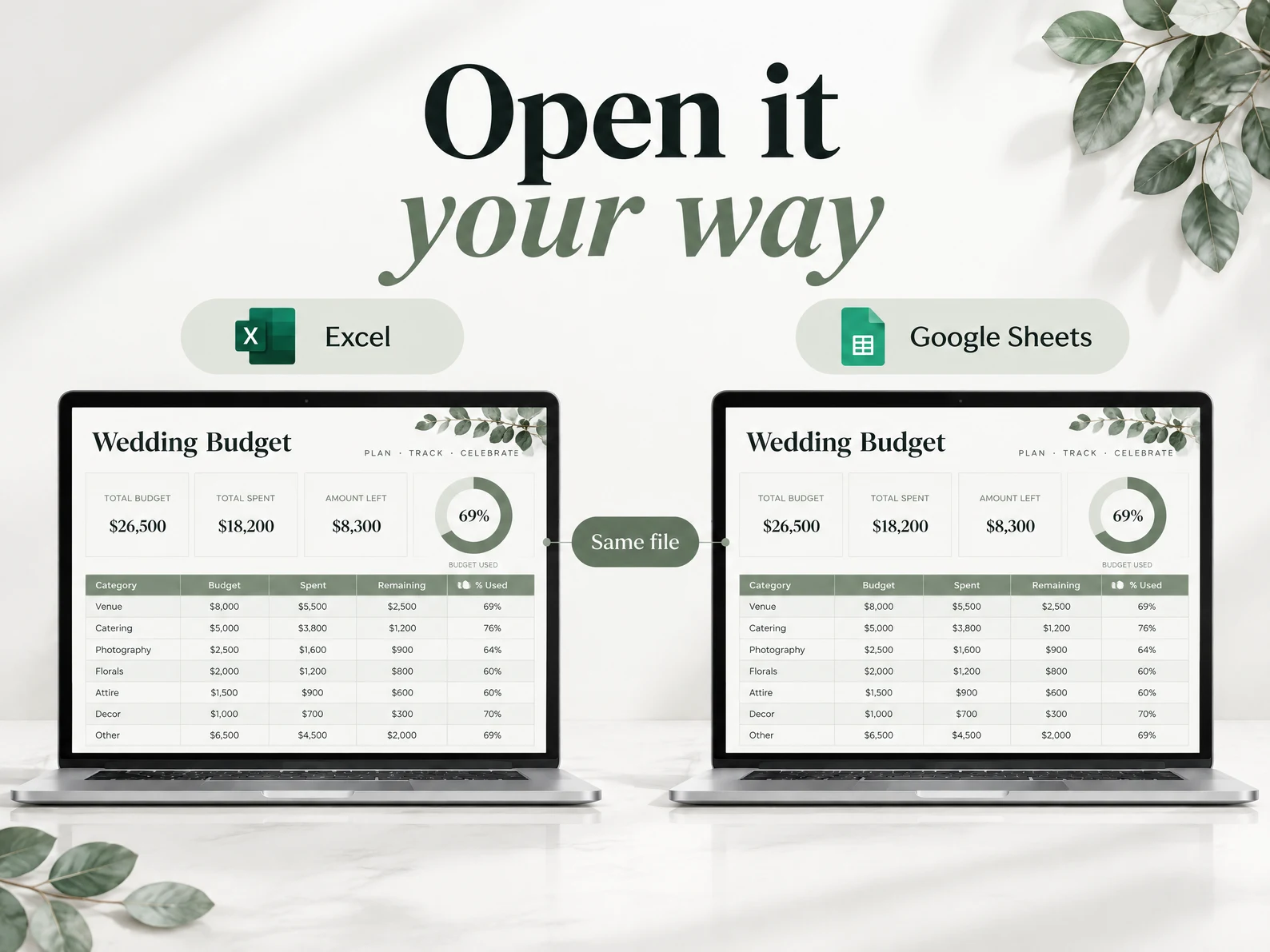
Works in Excel and Google Sheets
18 Sections, One Spreadsheet
A look inside each section of your spreadsheet.

What the Spreadsheet Covers.
Budget, guests, vendors and dates. The formulas are built in, so the totals and charts update for you.
Automated Budget Tracker
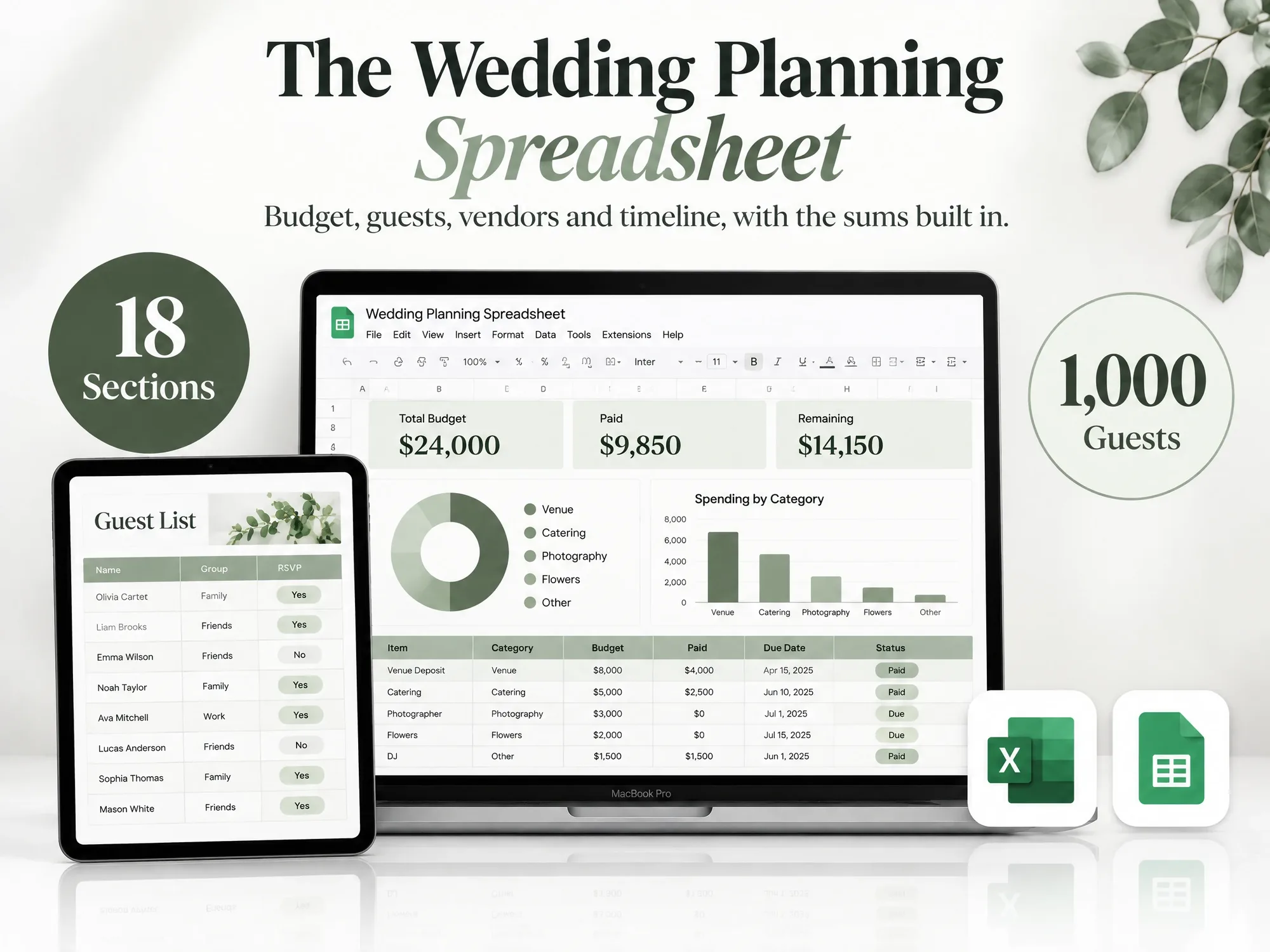
Pie and bar charts, remaining budget and budget vs actual, all calculated.
Excel and Google Sheets
Open the Excel file, or make your own copy of it in Google Sheets.
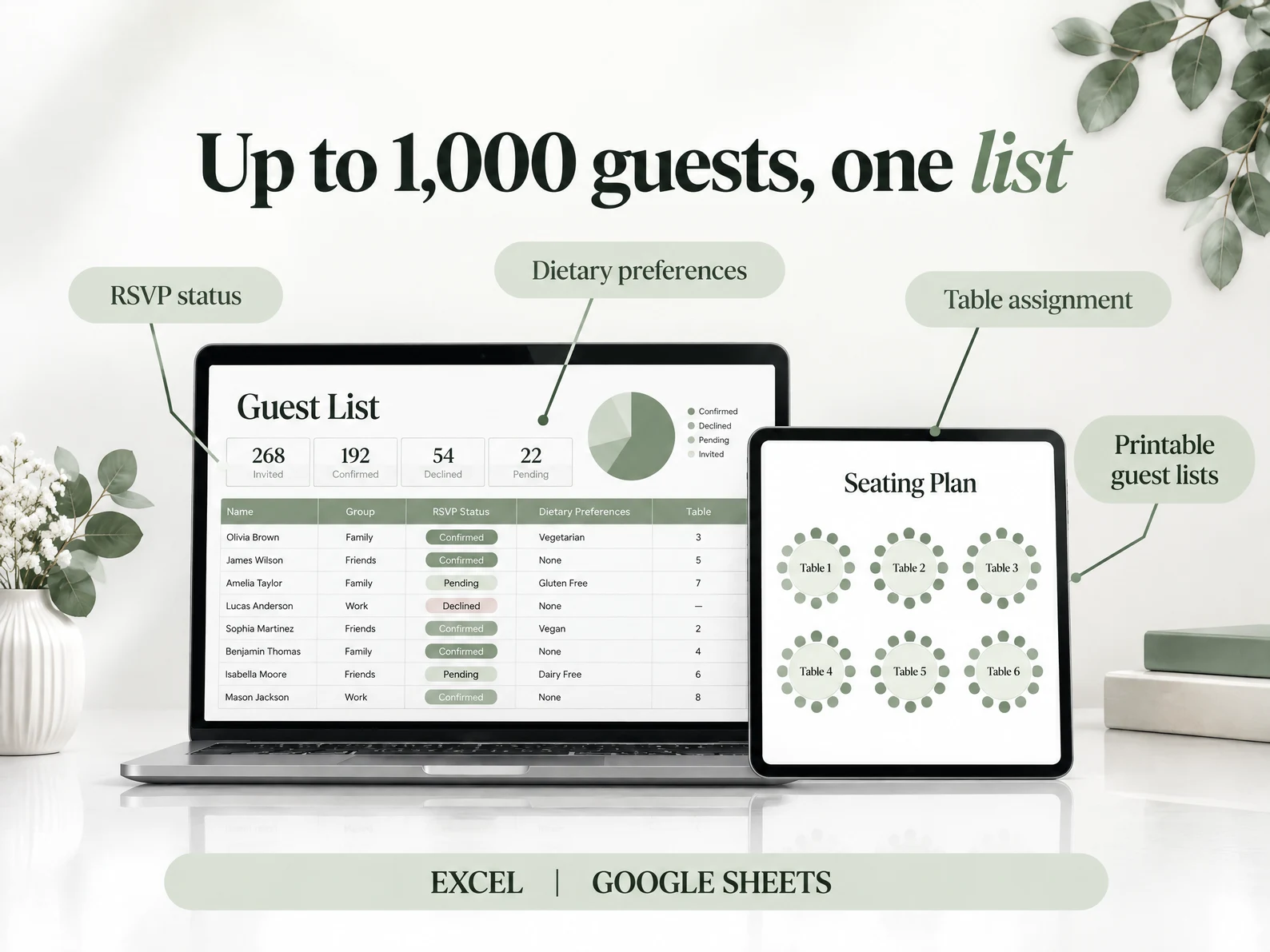
Up to 1,000 Guests
Track RSVP status, invitation status and dietary preferences for every guest.
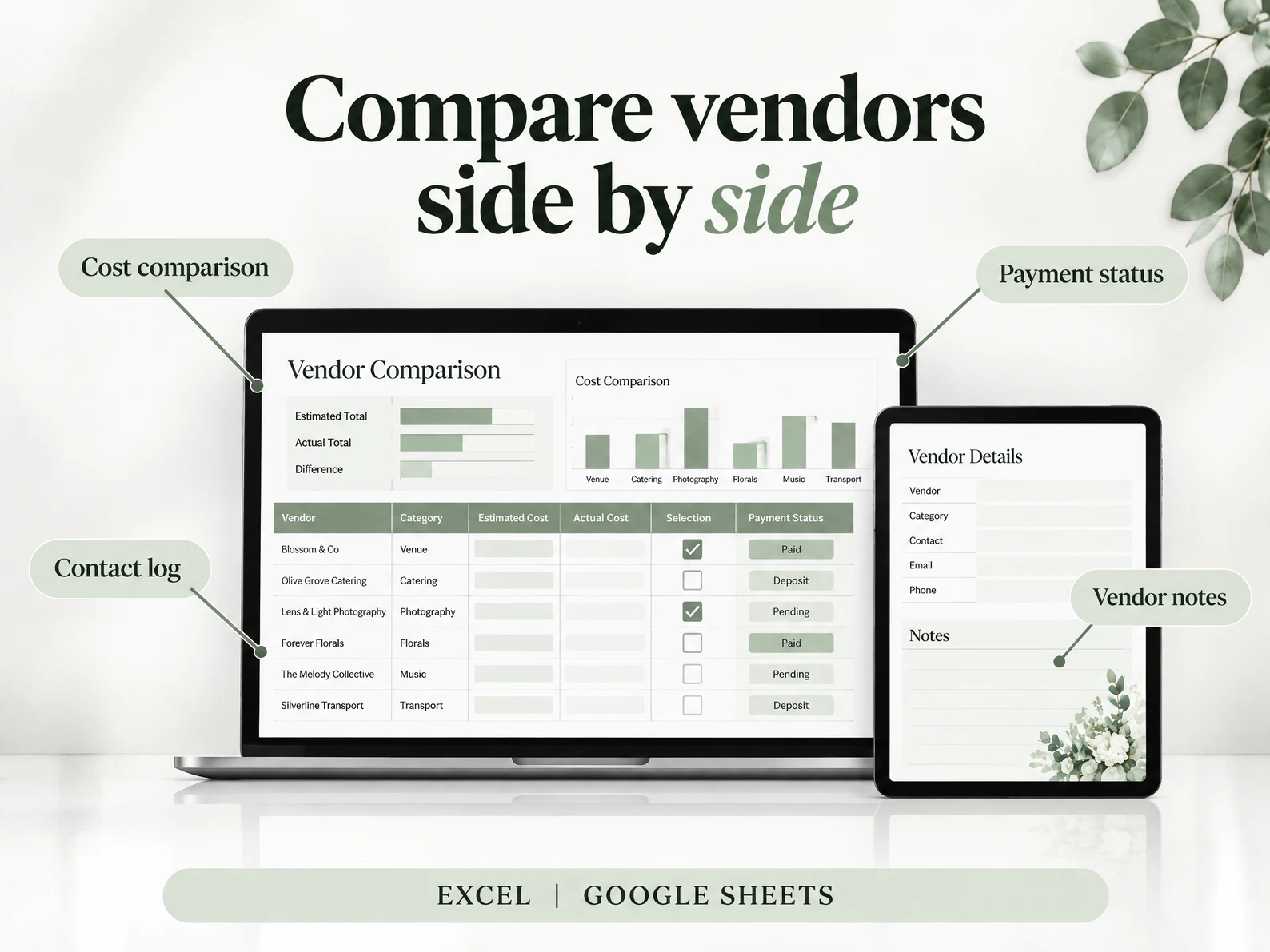
Vendor Cost Comparison
Compare vendors side by side. The costs link to your budget.
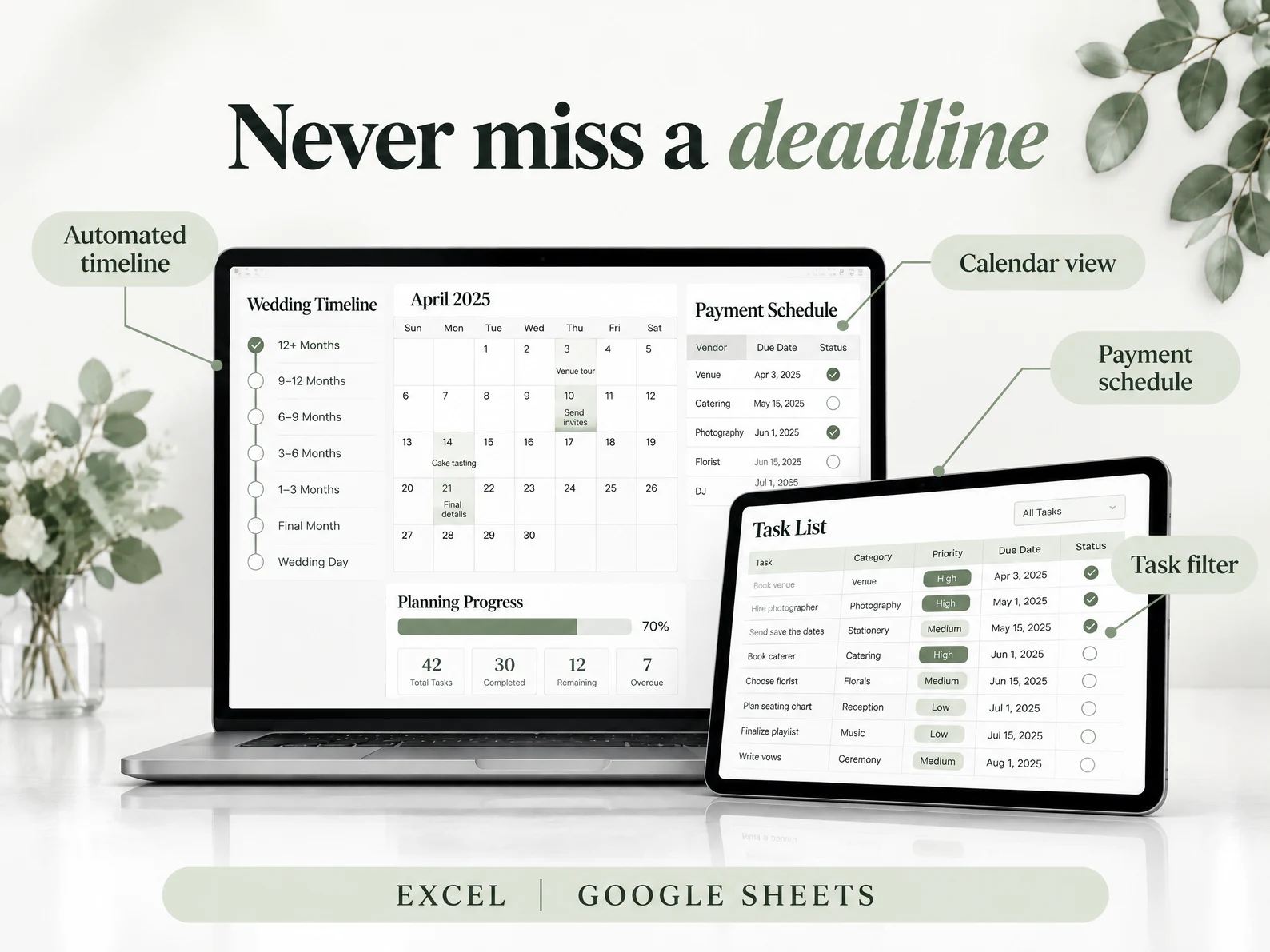
Calendar and Payment Schedule
Every task, deadline and payment on one calendar view, with colour-coded priority levels.
Honeymoon Budget
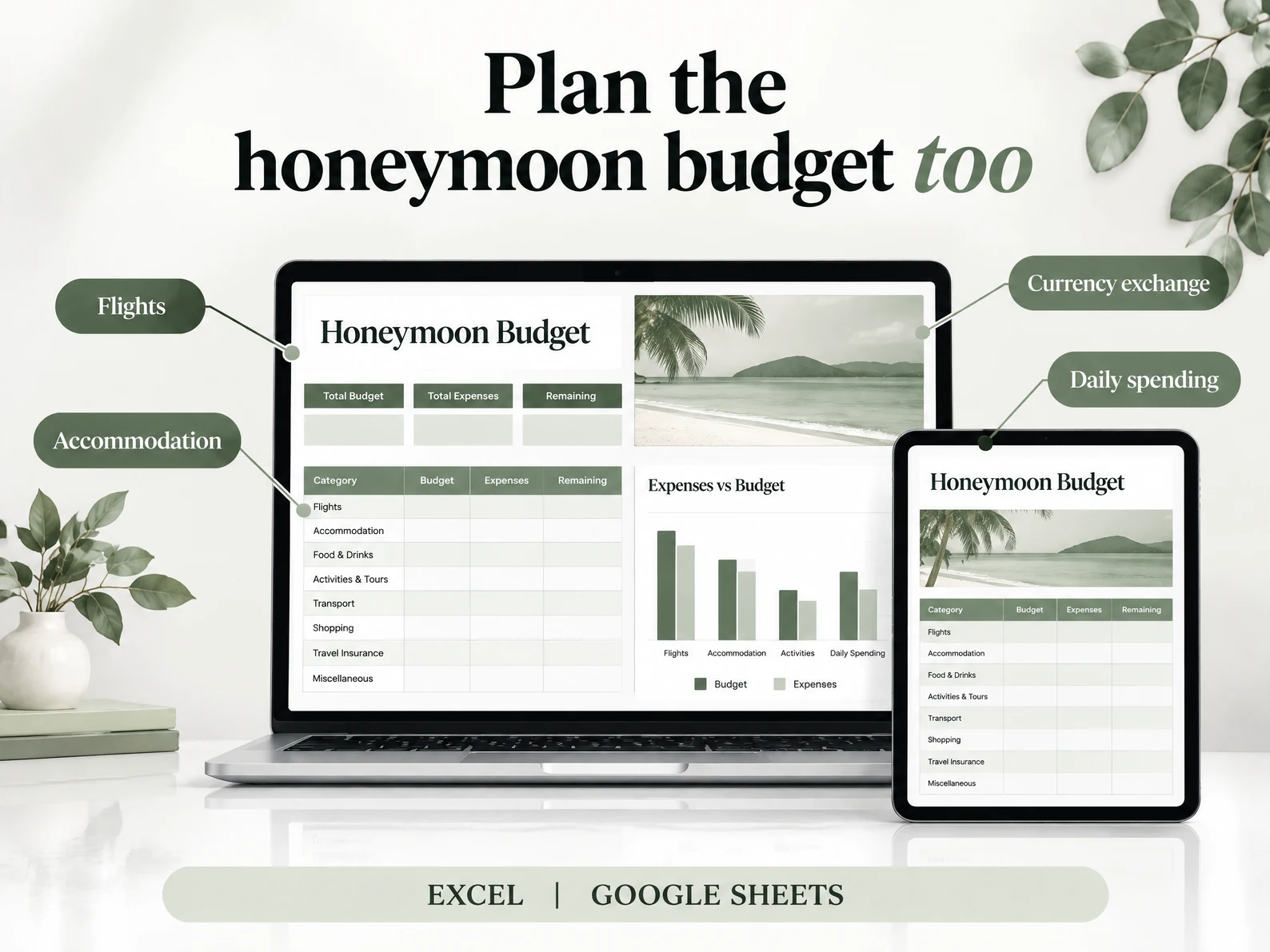
Plan flights, accommodation, transport, food and activities, and track your daily spending against the budget.
18 Sections. One File. Everything Listed.
Budget and Payments
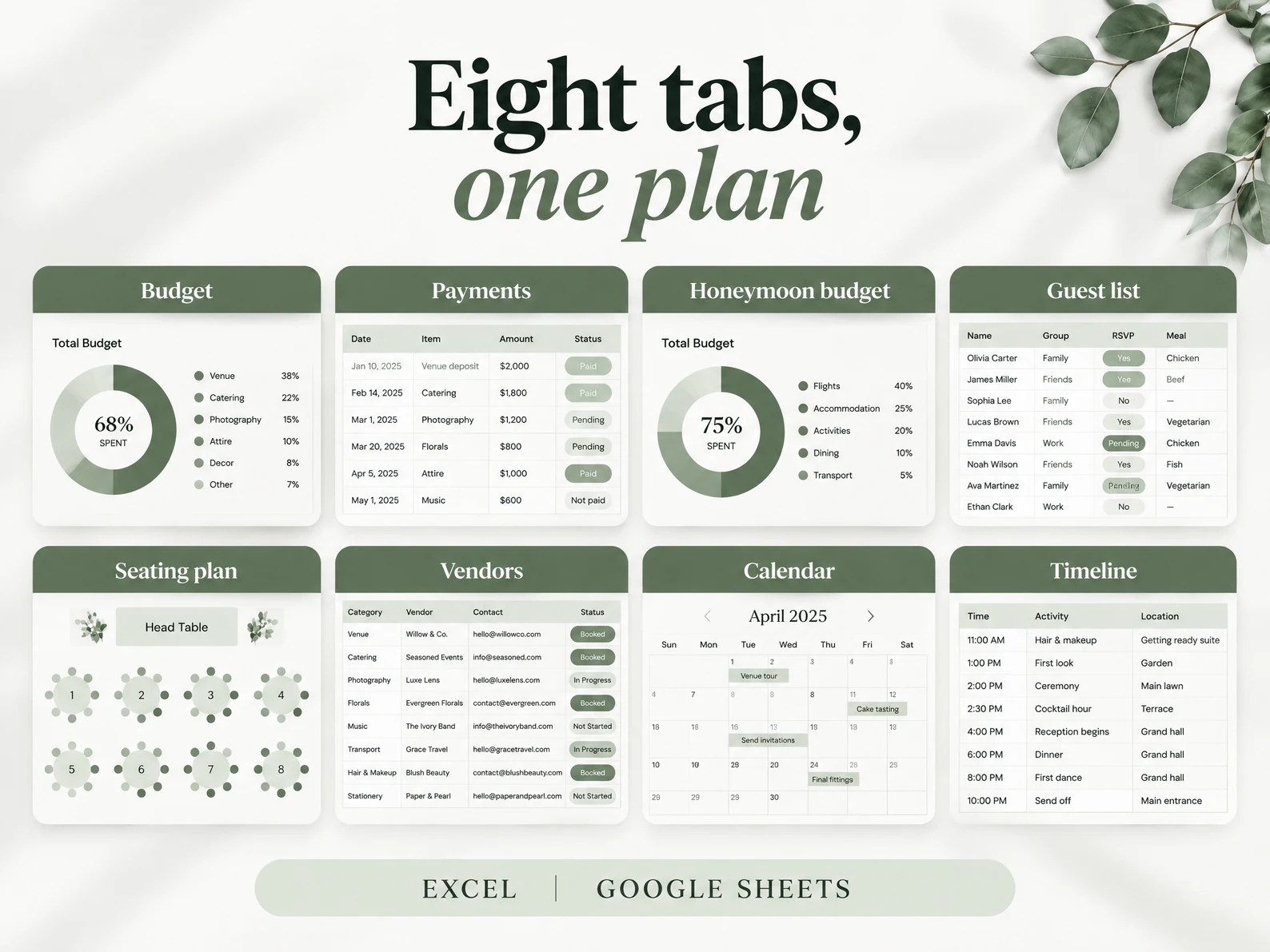
The budget tracker, vendor payments and honeymoon budget, with pie and bar charts that update for you.
People
The guest list for up to 1,000 guests, the seating plan and table assignments, and the vendors.
Timeline and Planning
The dashboard, the timeline and itinerary, the calendar with every deadline, and the venue and catering options.
Also in the Spreadsheet
Everything in the Spreadsheet.
Every section opens in Excel or Google Sheets, and the totals add up.
Dashboard and Set-Up
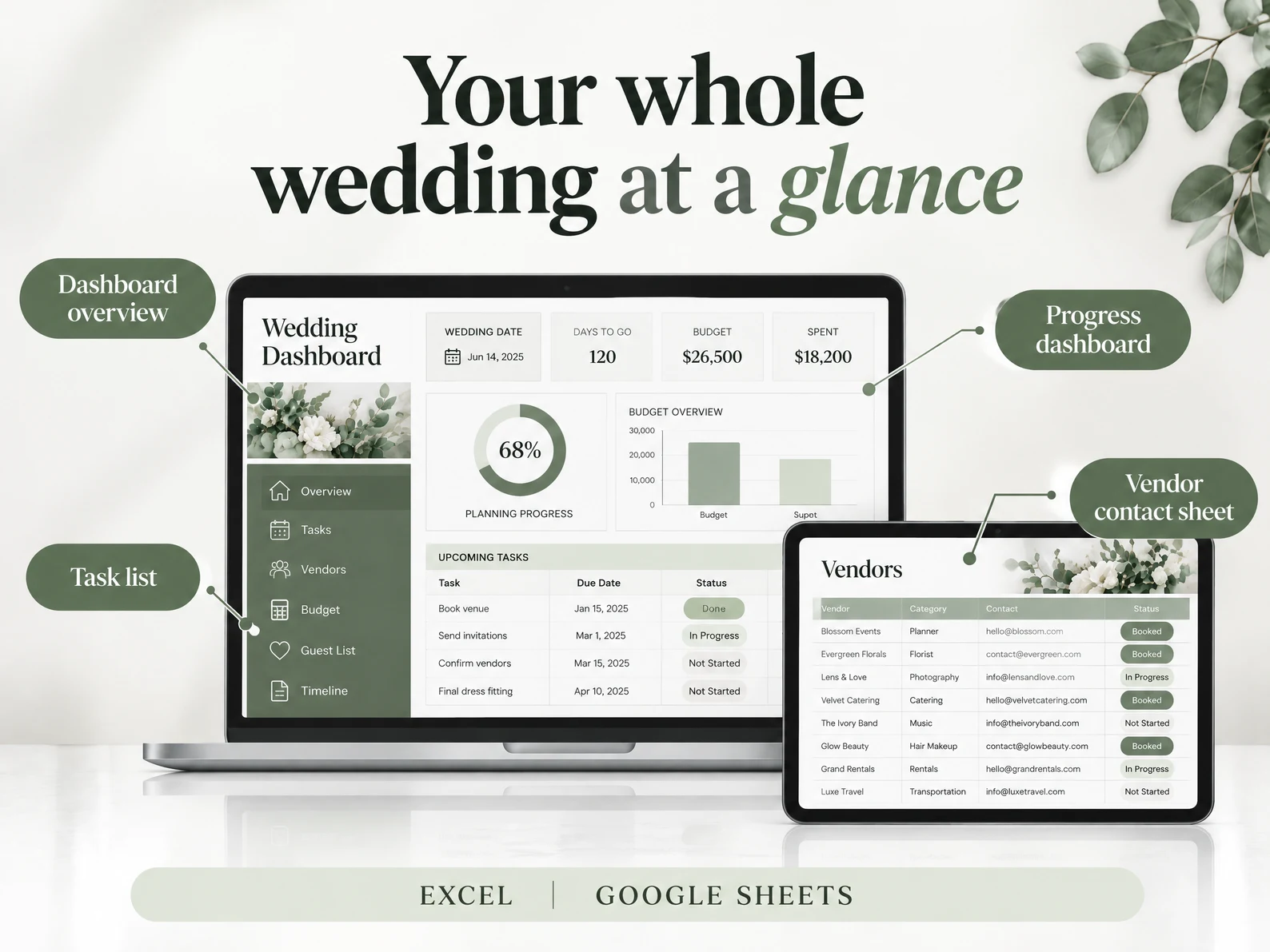
See your whole plan and your progress on one page.
Timeline and Calendar
Build the timeline and see every task and deadline on one calendar.
Budget Tracker and Payments
See where the budget goes, and what is paid and what is due.
Guest List and Seating Plan
Track up to 1,000 guests and give every guest a table.
Vendor Cost Comparison
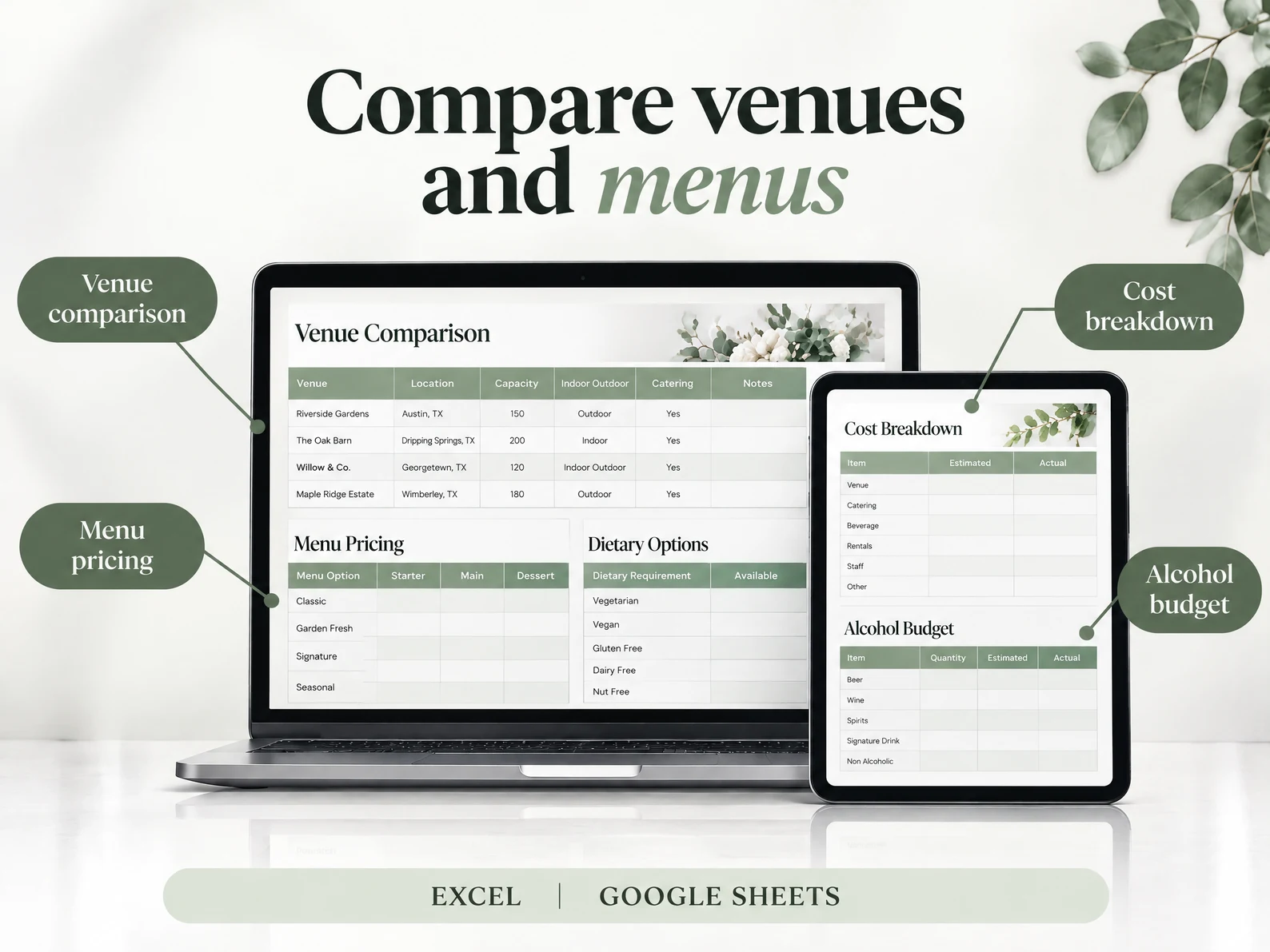
Compare every vendor side by side, with costs linked to your budget.
Venue, Food and Drinks
Compare venues by cost and capacity, and plan the menu.
Honeymoon Budget
Plan the honeymoon budget by category and track daily spending.
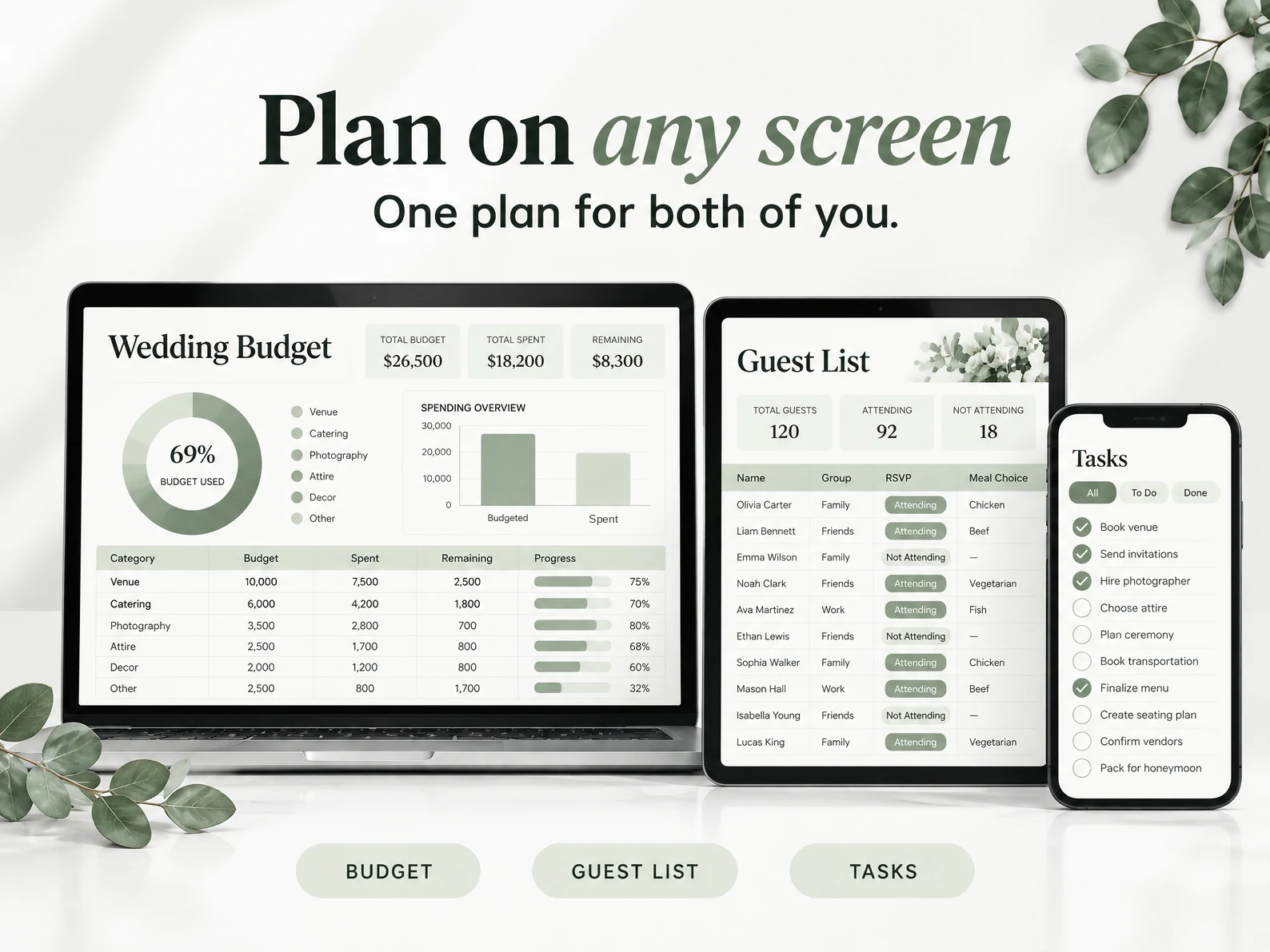
Any Screen. One Plan for Both of You.
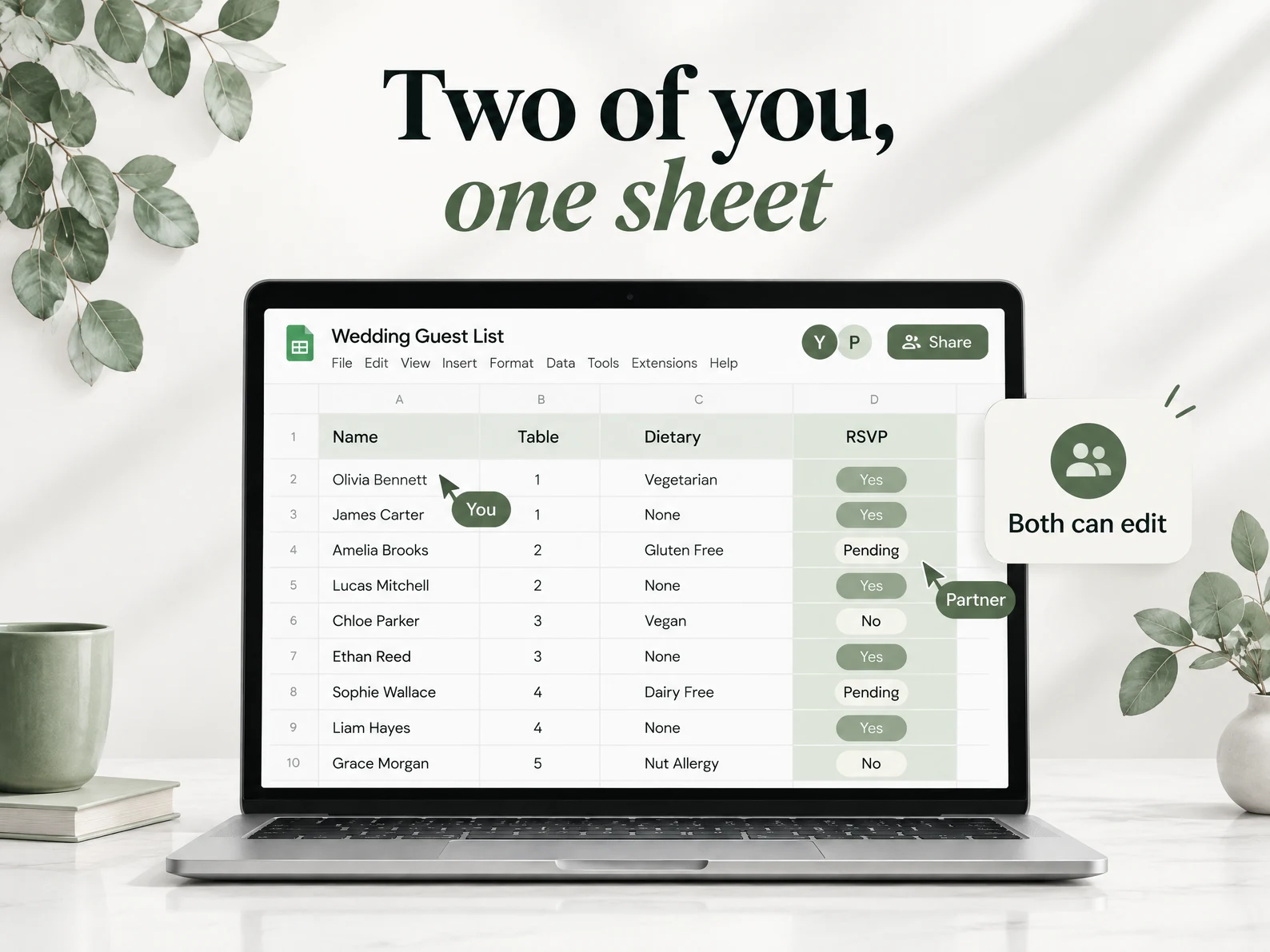
Open the file in Excel on your computer, or the Google Sheets link on any device. In Google Sheets, every change shows everywhere.
What Planner Lovers Are Saying
Real reviews from real planners


For Couples Planning Their Wedding Together.
Share the Google Sheet and plan from one file. You both see the same budget, the same guest list and vendor payments. Track RSVP status for up to 1,000 guests, give every guest a table, and check the budget against what you spend.
18 Sections, One Download, Yours to Keep.
Excel and Google Sheets, in one download. Open it on a laptop, tablet or phone. Type your numbers, and the formulas do the rest.
SET UP IN MINUTES
Every section is built and every formula is in place. Type your numbers, follow the set-up video, and start planning.
ONE PRICE, ONCE
Pay once and the file is yours to keep. No subscription and no monthly fee. Open it whenever you need it.
NO SPREADSHEET SKILLS NEEDED
Built for couples, not accountants. If you can type into a cell, you can plan with it. The formulas do the rest.
How It Works
Get started in minutes with instant digital access
Purchase
Complete your secure checkout
Download
Get the Excel file and the Google Sheets link
Set Up
Watch the set-up video
Plan
Type your numbers, the charts update
18 Sections in One Spreadsheet, for One Payment
Everything on this page is in one download, from the budget tracker to the honeymoon budget.
- 18 Sections for Excel & Google Sheets
- Automated Budget Tracker with Charts
- Guest List for up to 1,000 Guests
- Seating Plan and Tables
- Vendor, Venue and Catering Comparisons
- Honeymoon Budget with Daily Spending
Instant download • Excel & Google Sheets
This is a digital product with immediate access after purchase. No refunds on The Wedding Planning Spreadsheet or any order bump. The optional upgrade offered after checkout is the one exception, with a 90-day money-back guarantee.
Designed to Fit Your Needs.
Works in Excel and Google Sheets on PC, Mac, phone or tablet. Edit on the go. Set-up works best on a computer.
Frequently Asked Questions
Everything you need to know before you buy